01
Install & licence
Upload the plugin, activate, run the five-step wizard. No external SaaS dashboard.
Tell us what is going wrong and we will get back to you within one business day.
We email support@agencysuite.com.au and send you a copy with your ticket number (RL#…).
One WordPress plugin, two content modes. B2C for your customers and locals — enquiry forms, business-type imagery, customer FAQs. B2B for agencies and suppliers — quote forms, industries, budget ranges. Posts, schema, and SEO scores on autopilot.
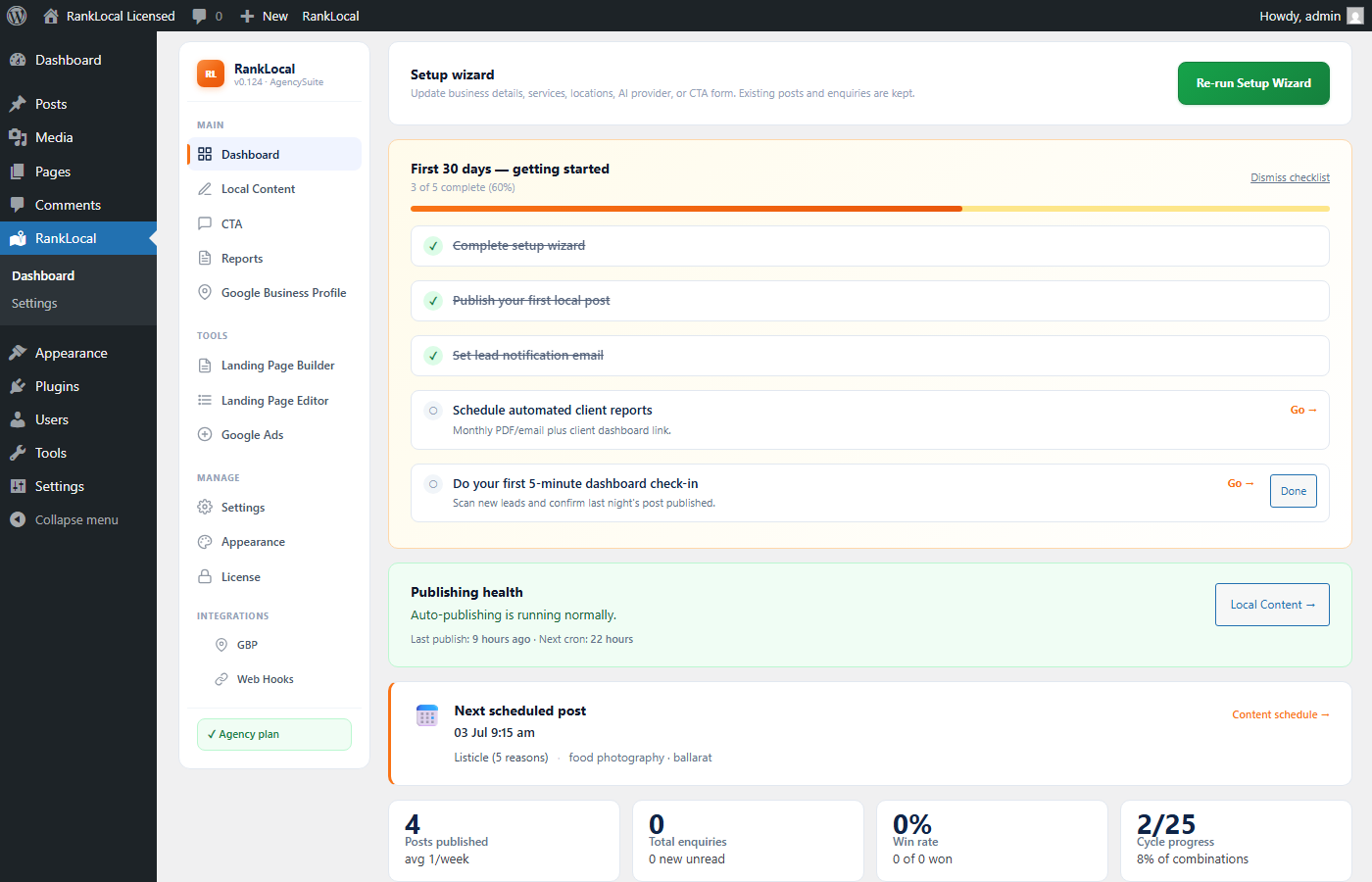
SEO AutoPilot runs inside WordPress. Pick your audience once; services, suburbs, and templates handle the rest.
01
Upload the plugin, activate, run the five-step wizard. No external SaaS dashboard.
02
B2C or B2B — forms, tone, featured images, and FAQs follow automatically.
03
Services, suburbs, templates. The content matrix rotates on your schedule.
04
Schema, leads, client portal. Agency adds landing pages, Hub, and Google Ads.
Signature differentiator
B2C
Restaurants, salons, retail, health, trades to homeowners. Near-me intent, enquiry CTAs, business-type imagery.
B2B
Agencies and B2B suppliers. Industry × service × suburb posts, quote forms, budget ranges, full leads pipeline.
Content modes
B2C & B2B — switch anytime under Settings → Business
Post templates
Per mode — near-me, listicle, seasonal, and more
URL matrix
Unique suburb × service combinations on autopilot
| What adapts | B2C | B2B |
|---|---|---|
| Who reads your posts | Customers, guests, locals | Business decision-makers |
| Embedded form | Enquiry CTA — no budget fields | Quote form + industries + budget |
| Admin sidebar tab | CTA | Leads |
| Featured images | Hospitality & venue photos from business type | Industry-focused trade & commercial imagery |
| FAQ templates | Customer FAQs (hours, booking, visiting) | Commercial buyer FAQs (scope, pricing, service area) |
| Post tone | Best [service] in [suburb] / near-me local intent | [Service] for [industry] in [suburb] |
| Best for | Venues, retail, health, trades to homeowners | Agencies, consultants, B2B lead gen |
B2C vs B2B — full guide → · For local business · For agencies

FIG 02 — Content targeting
Generic agency SEO tools write like you're pitching plumbers to electricians. SEO AutoPilot asks once — who reads your posts? — then adapts titles, tone, images, FAQs, and the embedded form.
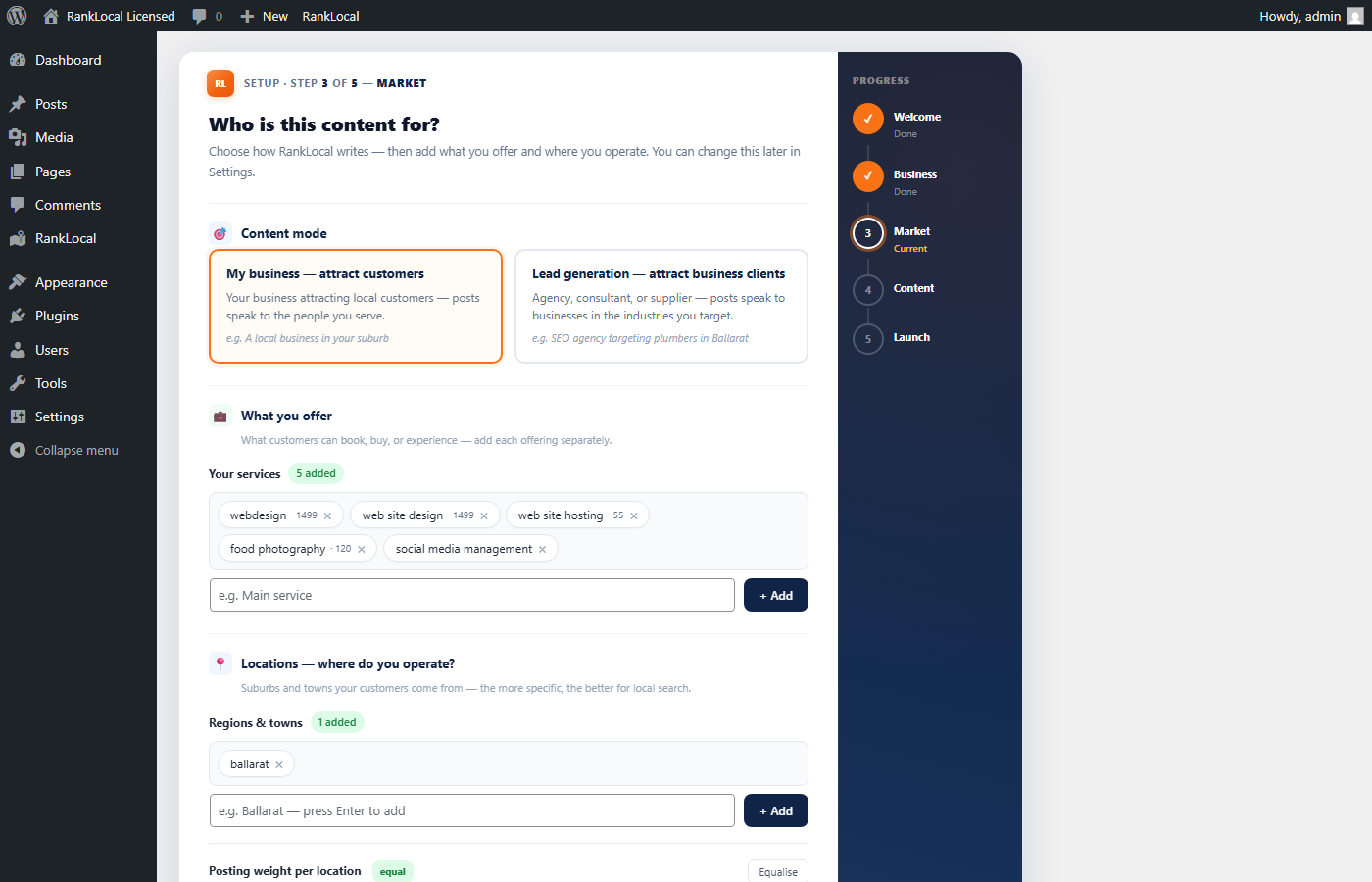
Wizard step 3, Local Content banner, or Settings → Business. Switch anytime; new posts pick up your latest choice.
Drives stock photos, AI prompts, and B2C FAQ templates.
Enquiry CTA (B2C) vs quote form with industries and budget (B2B).
See B2C vs B2B at a glance on Local Content.
Every night WordPress cron fires SEO AutoPilot's publishing engine. A fresh local article lands on your site — with internal links to your service pages, Article and FAQ schema, and a scored SEO checklist already green.
Over weeks and months those pages build the signals search engines reward: topical depth, geographic relevance, structured data, and a site that never goes quiet. You wake up to new indexed local pages — not another Sunday-night writing session.
Most owners know they need local SEO — but writing, publishing, and proving ROI competes with billable work. A plumber billing $120/hr shouldn't spend 4 hours every week on suburb blog posts.
Weeks pass without a new suburb page or service article. Competitors with steady content gain compound visibility while your site goes quiet.
$2k–$5k/month retainers for content alone — hard to justify for a single-location trade business when you need 2–3 posts a week to stay competitive.
Forms scatter across email. Clients ask "what did we get for our SEO spend?" and you have no clean answer or monthly proof.
SEO AutoPilot uses AI to draft locally relevant posts, landing page copy, and FAQs — then publishes to your real WordPress site. Edit anything. Delete anything. Turn AI off per section.
You're not replacing your expertise — you're removing the blank page and the Sunday-night writing session that used to cost you 3–4 hours every week.
SEO AutoPilot ships structured data, grades every article, and gives you tools to cleanse and refresh content — so output builds the signals search engines and answer engines look for.
AEO (Answer Engine Optimisation) is how you get cited when people ask ChatGPT, Perplexity, Google AI Overviews, or voice assistants — not just when they type a keyword into Google.
SEO AutoPilot builds FAQPage and Article JSON-LD schema from your real post content, so answer engines can pull structured Q&A and business context from your site. Landing pages get FAQ schema too — the same markup search engines use to surface rich results and AI summaries.
Article + FAQ JSON-LD on publish. Per-post schema check and Fix & rebuild repairs missing or corrupt markup.
Every post gets a 0–100 score — word count, title match, headings, internal links, featured image, meta, and valid schema.
Bulk-refresh older posts: internal links, Related Articles, pricing mentions, meta descriptions, SEO scores, and optional schema rebuild.
Rotate through content templates for varied search intent. Auto content refresh regenerates stale posts on a rolling schedule.
SEO AutoPilot combines automated local content, schema/AEO markup, SEO scoring, lead capture, client reports, conversion landing pages, Google Ad Builder, and direct Google Business Profile API posting in one install. We haven't found another WordPress plugin that bundles this full local-SEO automation stack including GBP API posting — but we focus on what it does, not what others don't.
GBP note (Agency): Google Business Profile integration requires an Agency license, OAuth connection to your Google account, and Google must approve your Business Profile API access — approval can take around 14 days.
Icons flag Trial, Paid (Single site), or Agency-only capabilities.
Wizard, Local Content, and Settings → Business — posts, CTA vs quote forms, images, and FAQs match your audience automatically.
Service × suburb articles on autopilot — schema markup, internal links, template rotation, and your business details baked in.
Choose days, frequency, and timing — not just the default daily trial cadence.
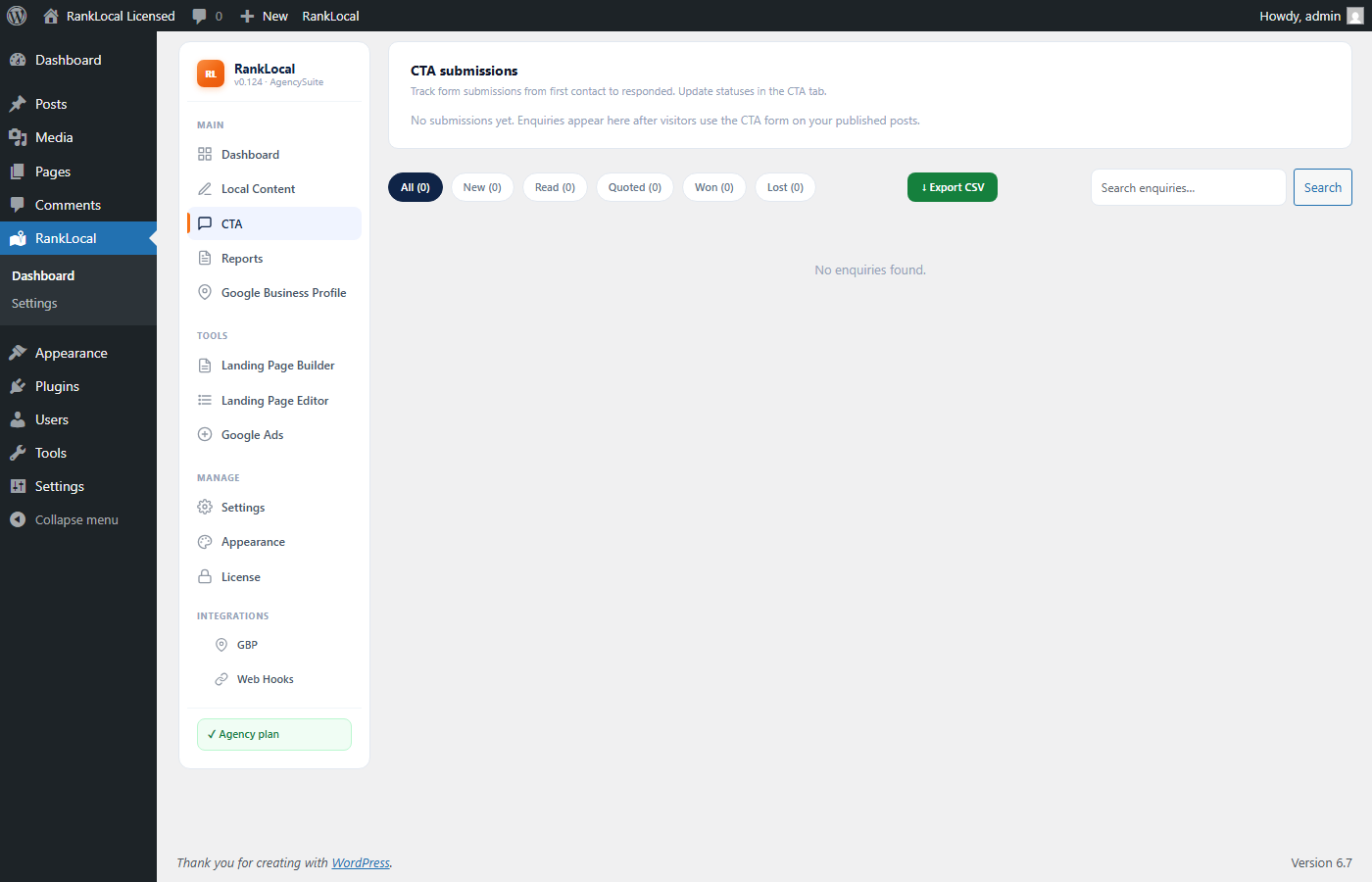
B2C sites get enquiry CTA forms; B2B gets quote forms with budget and industries. One inbox with source page.
See last publish time, cron status, and approval backlog on Dashboard. Paid plans email you if auto-posting stalls.
Guided setup on Dashboard — first post, lead inbox, automated reports, and daily 5-minute check-ins.
Instant thank-you to enquirers plus dashboard and email nudges when leads sit uncontacted 24+ hours (paid).
Automated monthly reports — posts published, leads captured, delivery history. Paid plans include PDF download, scheduled email, and a read-only client dashboard link.
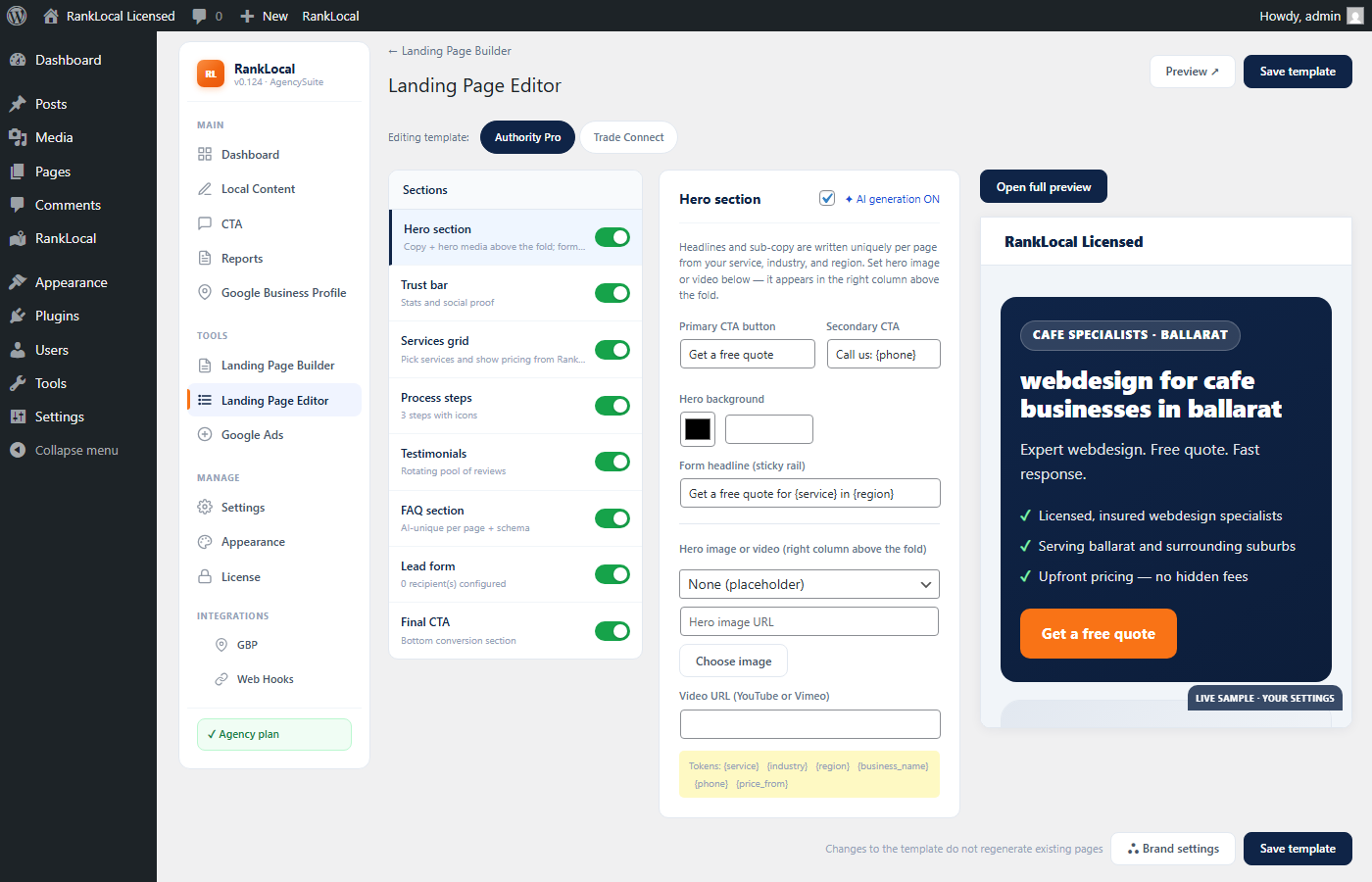
Seven-step wizard: pick Authority Pro or Trade Connect templates, set brand and hero, configure sections and testimonials, define service × suburb URLs, then bulk-generate conversion pages with sticky quote forms and FAQ schema.
Turn each landing page into paid traffic: Responsive Search Ad headlines and descriptions from live copy, dedicated ads landing URLs, and CSV export for Google Ads Editor — same session as LP launch.
Draft and sync GBP updates when new content publishes — direct API integration (Agency, OAuth required).
Every image below is captured from the SEO AutoPilot test server — not mockups.
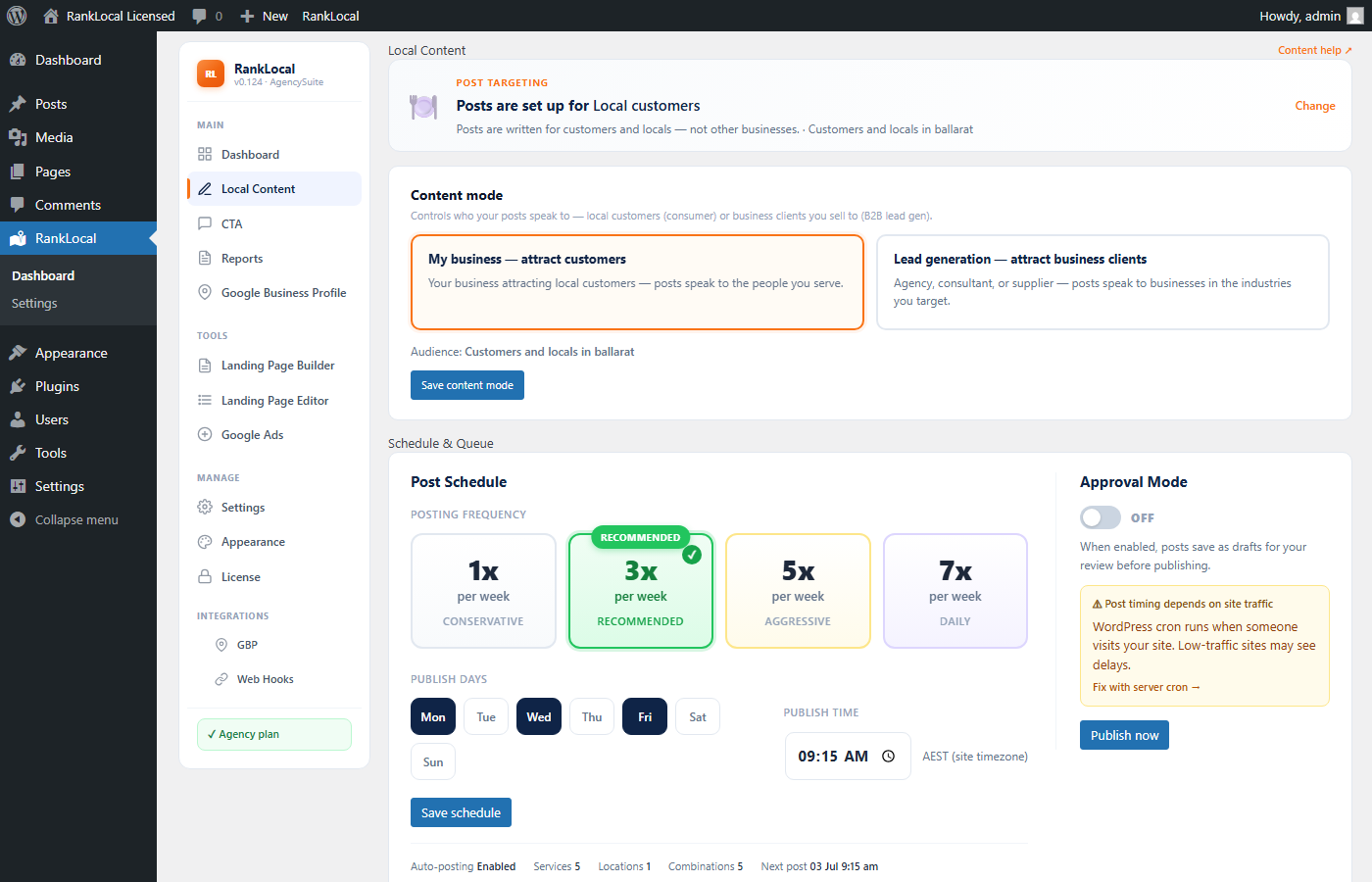
Wizard step 3, Local Content, and Settings → Business all expose the same B2C vs B2B control. B2C mode relabels admin navigation to CTA; B2B keeps Leads.
Overview shows publishing health, recent activity, license state, and shortcuts — built for owners and account managers. Five minutes each morning replaces an hour of manual status checks.
Every SEO AutoPilot post in one list with SEO score, internal link count, and schema status. The post targeting banner shows B2C vs B2B at a glance.
Name, phone, source page, and status — stop digging through notification email alone.
Agency unlocks a seven-step Landing Page Setup wizard — template, brand, sections, testimonials, URL patterns, lead recipients, then bulk generate.
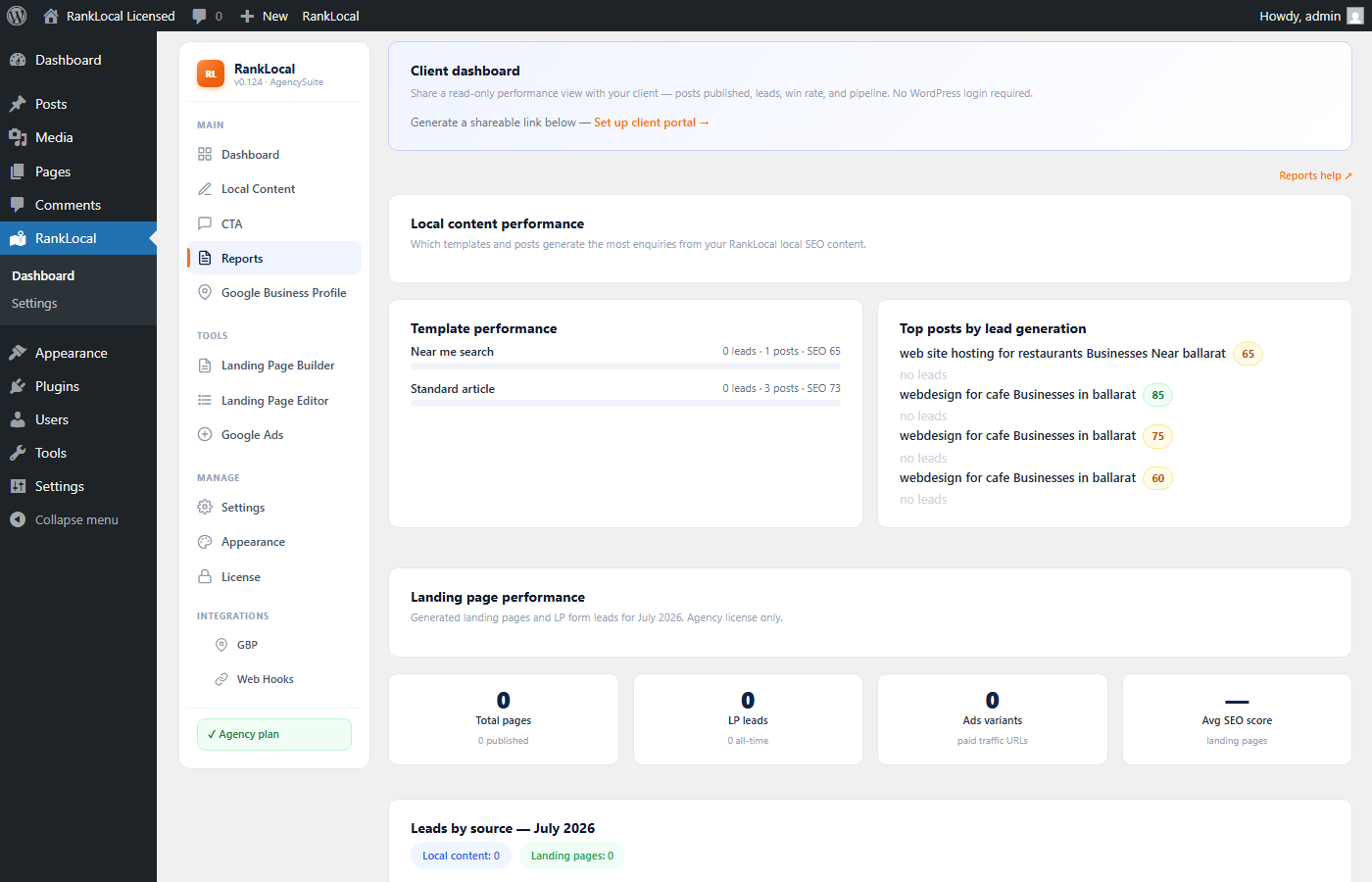
Paid — automated monthly reports, PDF download, scheduled email, and a client dashboard: a branded read-only link your customer opens without WordPress login. Share the portal URL from Reports; clients see posts published, leads, and win rate for the period. Agency adds white-label branding, manual on-demand reports, multi-recipient delivery, and lead breakdown by blog vs landing page.
Install SEO AutoPilot, run the setup wizard, and publish your first post today. Upgrade when you need schedule control, reports, or agency-scale landing pages.
Licence details: Trial · Single site · Agency · FAQ