Unlimited auto-posting
How: WordPress cron runs SEO AutoPilot's publishing engine on your configured schedule. Service × suburb combinations rotate from your business profile.
Why: Compound local visibility without weekly writing sessions.
The Single site licence activates one WordPress installation with everything a sole trader or one-location business needs: unlimited auto-posting, custom schedule, SEO backfill, automated client reports, a shareable client dashboard, lead automation, and publishing health monitoring. Agency-only tools (landing pages, GBP API, white-label) stay on the Agency tier.
Plumbers, electricians, cleaners, clinics, and other local service businesses running their own WordPress site — or agencies with a single personal demo site. One activation slot; deactivate to move the key to a new domain.
How: WordPress cron runs SEO AutoPilot's publishing engine on your configured schedule. Service × suburb combinations rotate from your business profile.
Why: Compound local visibility without weekly writing sessions.
How: Settings → Schedule — set frequency (daily, 1×–7×/week), publish days, and preferred time windows. Reschedules WP-Cron automatically.
Why: Match publishing cadence to your capacity and market — trial is locked to daily only.
How: Standard, listicle, near-me, problem-solution, seasonal, and more — SEO AutoPilot picks the next enabled template each run.
Why: Varied search intent beats repeating the same article shape.
How: Bulk-refresh existing SEO AutoPilot posts — internal links, Related Articles block, pricing mentions, meta descriptions, SEO scores, optional schema rebuild.
Why: Settings changes apply to new posts only; backfill retrofits your archive after you refine business or market data.
How: Per-post score from word count, title match, headings, internal links, featured image, meta, and valid schema — visible in Local Content.
Why: Catch weak posts before they index; backfill can lift scores site-wide.
How: Article + FAQPage JSON-LD in document head; schema check flags missing markup with one-click rebuild.
Why: Structured data supports rich results and answer-engine visibility.
How: Toggle on Local Content — posts save as drafts. When a draft queues, SEO AutoPilot emails configured notification recipients with preview link and approve URL.
Why: Quality control without disabling automation entirely.
How: Embedded forms in generated posts submit to SEO AutoPilot admin — CTA tab (B2C enquiry) or Leads tab (B2B quote) — with source page, service, and suburb.
Why: Form and admin label follow your content mode. One list beats digging through inbox threads.
How: Branded HTML email on each submission — configure recipient under Settings → Leads.
Why: Instant alert to the inbox you actually monitor.
How: Automatic branded confirmation email to the enquirer — editable template in Settings → Leads. Paid licence only.
Why: Acknowledge enquiries instantly while you're on site.
How: Dashboard banner and daily email when leads sit uncontacted 24+ hours. Paid licence only.
Why: Speed-to-lead wins jobs — stale alerts prevent enquiries going cold.
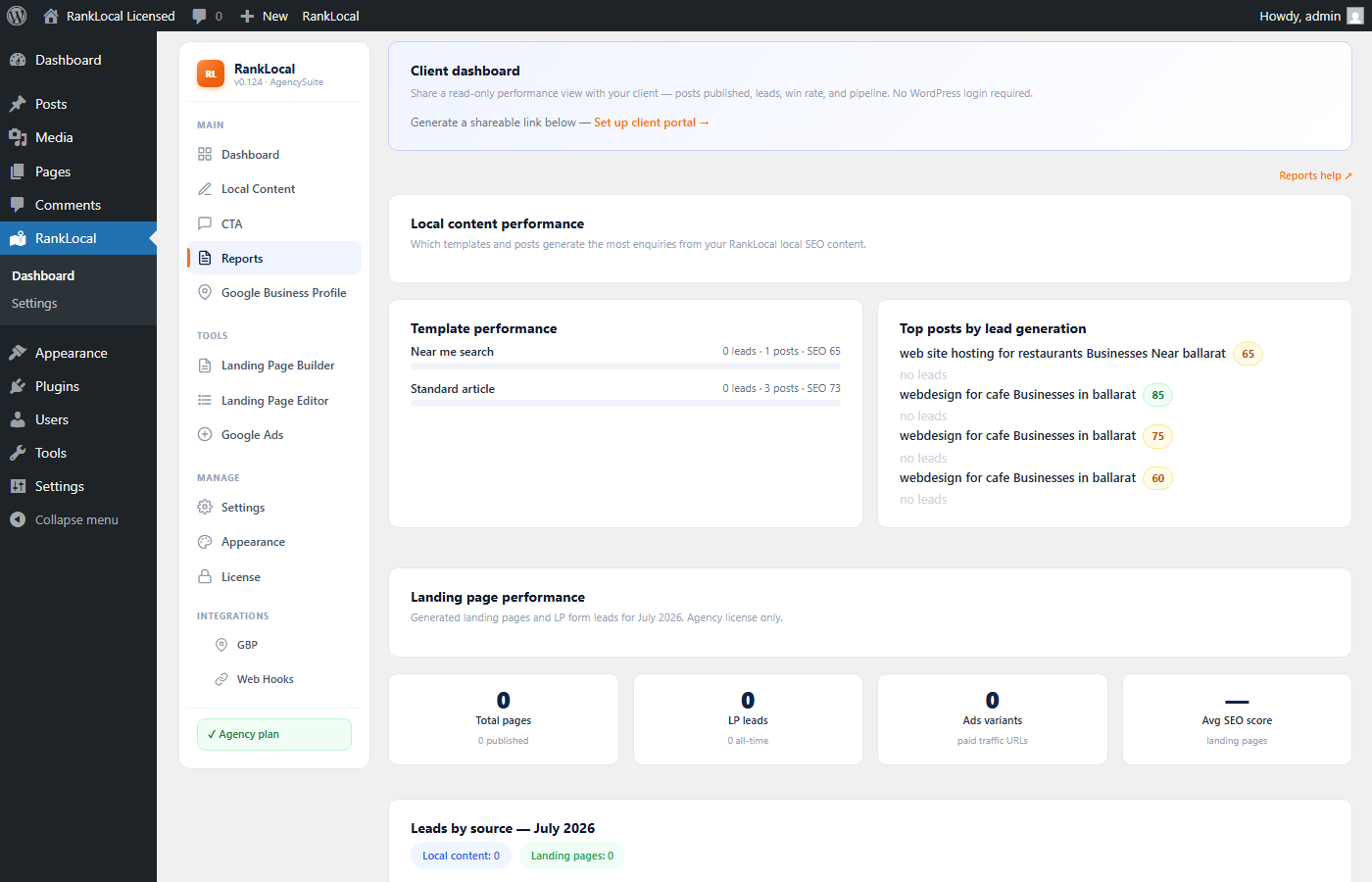
The client dashboard (client portal link) is a branded, read-only page your customer opens in their browser — no wp-admin access, no password sharing.
/client-report/{token}/ URL and email it to your client. Link expires on a date you control.Agency upgrade: White-label removes SEO AutoPilot branding from reports and portal — see Agency licence.
How: Enable under Reports, set recipient and send day (1st–28th). Cron emails branded HTML report each month.
Why: Retain clients and justify your fee with consistent proof of work.
How: Preview any date range in Reports and download PDF for attachments or print.
Why: Clients who want a file, not a link.
How: Reports tab dashboard for posts published, leads, and content metrics by period.
Why: Spot trends before monthly send — Agency adds landing-page lead breakdown.
How: Log of past report sends with status — confirm clients received their update.
Why: Audit trail for account management.
How: Dashboard card shows last publish, next cron, approval backlog, and overdue warnings. Email alert if auto-posting stalls beyond expected interval.
Why: WP-Cron issues shouldn't silently kill your content pipeline.
How: Onboarding tasks on Dashboard — wizard, first post, lead email, report schedule, daily check-in.
Why: Structured setup beats forgetting report delivery until month two.
How: Optional email when each auto-post goes live — configure on Local Content.
Why: Stay informed without logging into wp-admin daily.
How: Licensed sites receive updates via WordPress updater tied to your active key.
Why: Security patches and feature releases without manual zip uploads.
Single site covers one WordPress install. These require Agency licence ($597/year, unlimited sites):
Compare pricing · Full feature list · For local business · Start trial
$97 AUD per year — about $8/month. Or start with the 14-day trial and upgrade when schedule and reports matter.