B2C
Speak to your customers & locals
Restaurants, salons, retail, health, trades to homeowners. Near-me intent, enquiry CTAs, business-type imagery.
- Admin sidebar: CTA tab
- Templates: Near me, listicle, seasonal
- FAQs: hours, booking, visiting
Most local SEO tools write every site like B2B lead gen — quote forms and industry targeting even when diners just want to book. SEO AutoPilot asks once — who reads your posts? — then adapts titles, tone, featured images, FAQs, embedded forms, and admin labels on every article. Set it in the wizard or change it anytime under Settings → Business.
Signature differentiator
Generic local SEO sounds wrong for half your clients — quote forms on restaurant pages, or customer-focused copy on B2B lead-gen sites. SEO AutoPilot adapts every post to who actually reads it.
B2C
Restaurants, salons, retail, health, trades to homeowners. Near-me intent, enquiry CTAs, business-type imagery.
B2B
Agencies and B2B suppliers. Industry × service × suburb posts, quote forms, budget ranges, full leads pipeline.
Content modes
B2C & B2B — switch anytime under Settings → Business
Post templates
Per mode — near-me, listicle, seasonal, and more
URL matrix
Unique suburb × service combinations on autopilot
| What adapts | B2C | B2B |
|---|---|---|
| Who reads your posts | Customers, guests, locals | Business decision-makers |
| Post tone & titles | "Best [dish/service] in [suburb]" | Industry × service × suburb |
| Embedded form | Enquiry CTA — no budget fields | Quote form + industries + budget |
| Admin sidebar tab | CTA | Leads |
| Featured images | Business type (restaurant, salon…) | Industry × service focus |
| FAQ templates | Customer FAQs (hours, booking, visiting) | Commercial buyer FAQs (scope, pricing, service area) |
| Post templates | Near me, listicle, seasonal | Standard, listicle, seasonal (B2B tone) |
| Industries field | Hidden | Available in B2B mode — target client industries |
| Best for | Venues, retail, dentists, hospitality | Agencies, consultants, B2B lead gen |
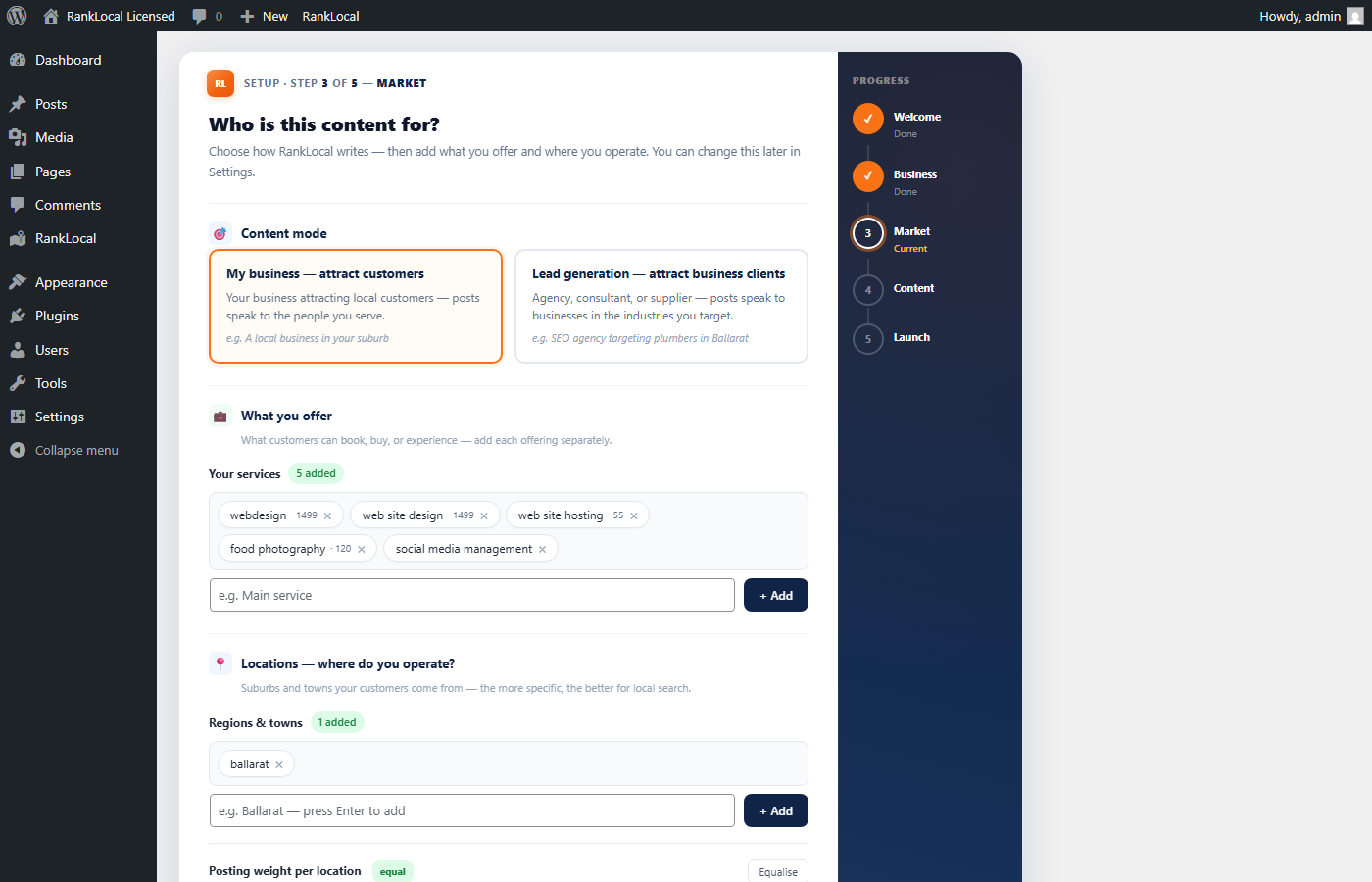
FIG 02 — Setup wizard
SetupStep 3 captures content mode alongside your services and suburbs. B2C sites pick a business type so AI prompts and stock images match. B2B sites define target industries for industry × service posts.
Restaurant, salon, retail, clinic — drives photos and customer FAQs.
B2B mode defines client industries for quote-form copy and post titles.
Content matrix rotates on your schedule from day one.
FIG 03 — After launch
After launchThe content targeting card lives on Settings → Business and on the Local Content tab. Switch B2C ↔ B2B, update business type, and save — the next scheduled post uses your choice.
See B2C vs B2B at a glance on Local Content.
Enquiry submissions with source page attribution.
Quote pipeline with budget fields and industries.

You run a venue, retail shop, salon, or practice where local customers book, visit, or call. Enquiry forms — not B2B quote fields. Admin shows CTA, not Leads.
You're an agency, consultant, or B2B supplier selling to business clients — trades, commercial services, professional firms. Industry targeting drives posts. Quote forms, budget ranges, and a full leads pipeline.
Your model changes or you run both site types under one Agency licence. Each install picks its own mode — one client B2C, another B2B.
Still unsure? Read common setup questions or start a 14-day trial and compare both modes on your theme.
Install SEO AutoPilot, pick B2C or B2B in the wizard, and publish your first post in about five minutes.
Related: For local business · For agencies · Use cases